AI Video Generation on Your Desktop

LTX Desktop is an open-source Electron app for generating videos with LTX models โ€” locally on supported Windows NVIDIA GPUs, with API mode for unsupported hardware and macOS.

Powerful Features

Everything you need for professional AI video generation and editing

๐ŸŽฌ

Text-to-Video Generation

Transform text prompts into high-quality videos using advanced LTX models with precise control over style and composition.

๐Ÿ–ผ๏ธ

Image-to-Video Generation

Bring static images to life by animating them with AI, creating dynamic video content from any image source.

๐ŸŽต

Audio-to-Video Generation

Sync video generation with audio tracks for music videos, presentations, and synchronized multimedia content.

โœ‚๏ธ

Video Edit Generation (Retake)

Intelligently edit and regenerate specific sections of videos while maintaining consistency with the original content.

๐ŸŽจ

Video Editor Interface

Professional timeline-based editor with intuitive controls for trimming, arranging, and managing video assets.

๐Ÿ“

Video Editing Projects

Save and manage complete video projects with all assets, edits, and generation settings preserved for future work.

See It in Action

Explore the intuitive interface designed for professional video generation workflows
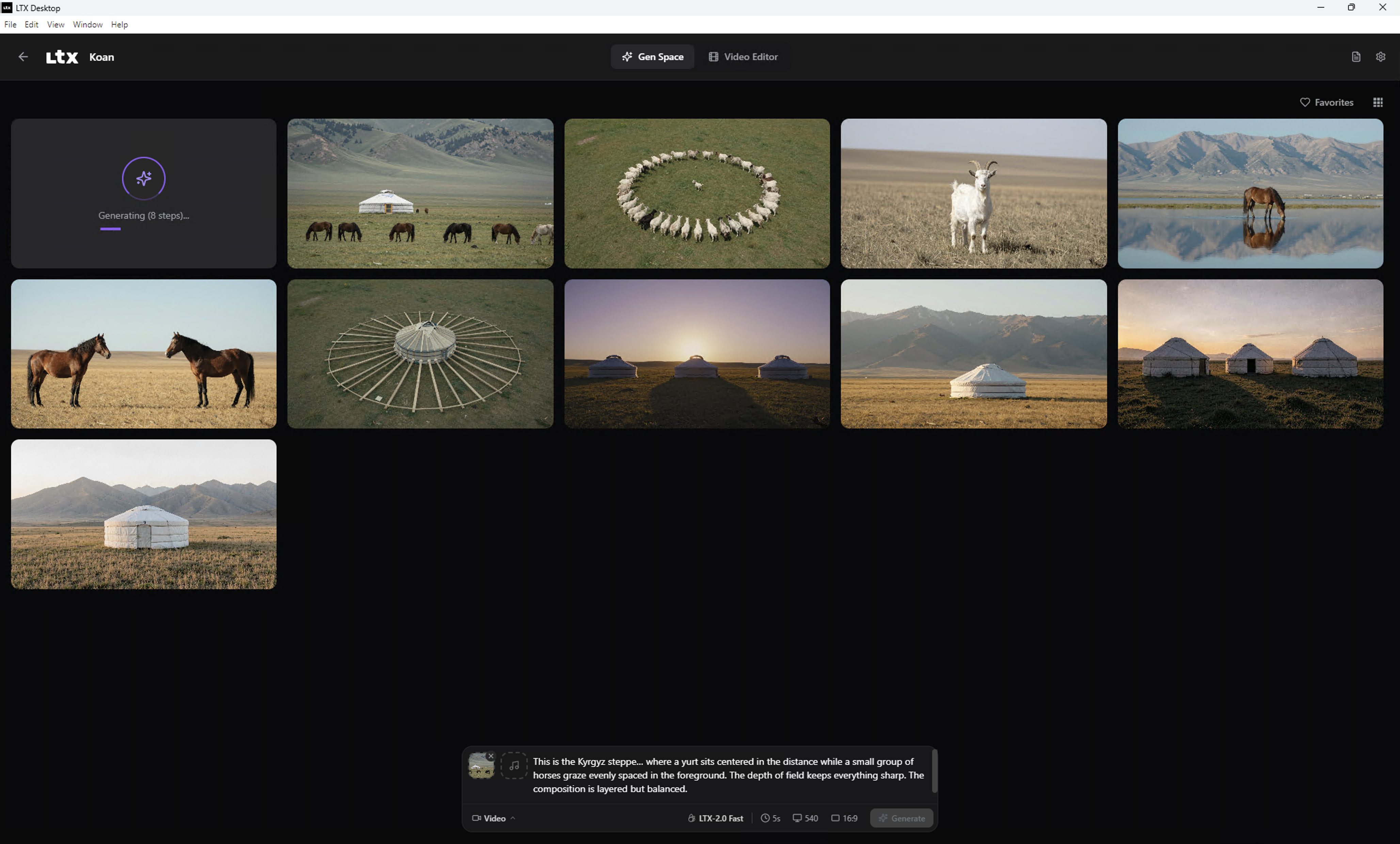
Generation Space Interface

Generation Space

The main workspace for configuring and launching video generation tasks with real-time previews and progress tracking.
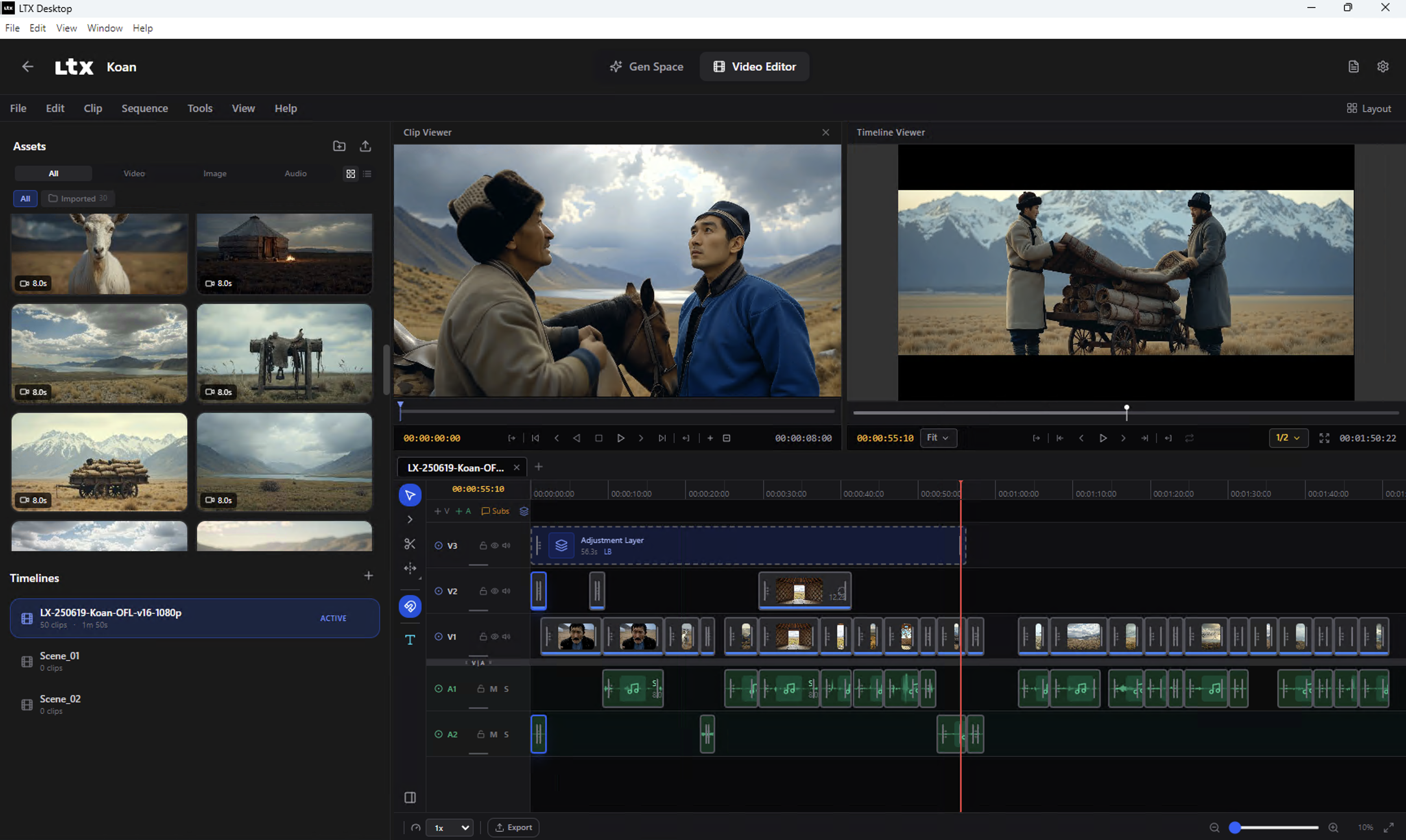
Video Editor Interface

Video Editor

Professional timeline editor with drag-and-drop functionality, clip management, and precise editing controls.
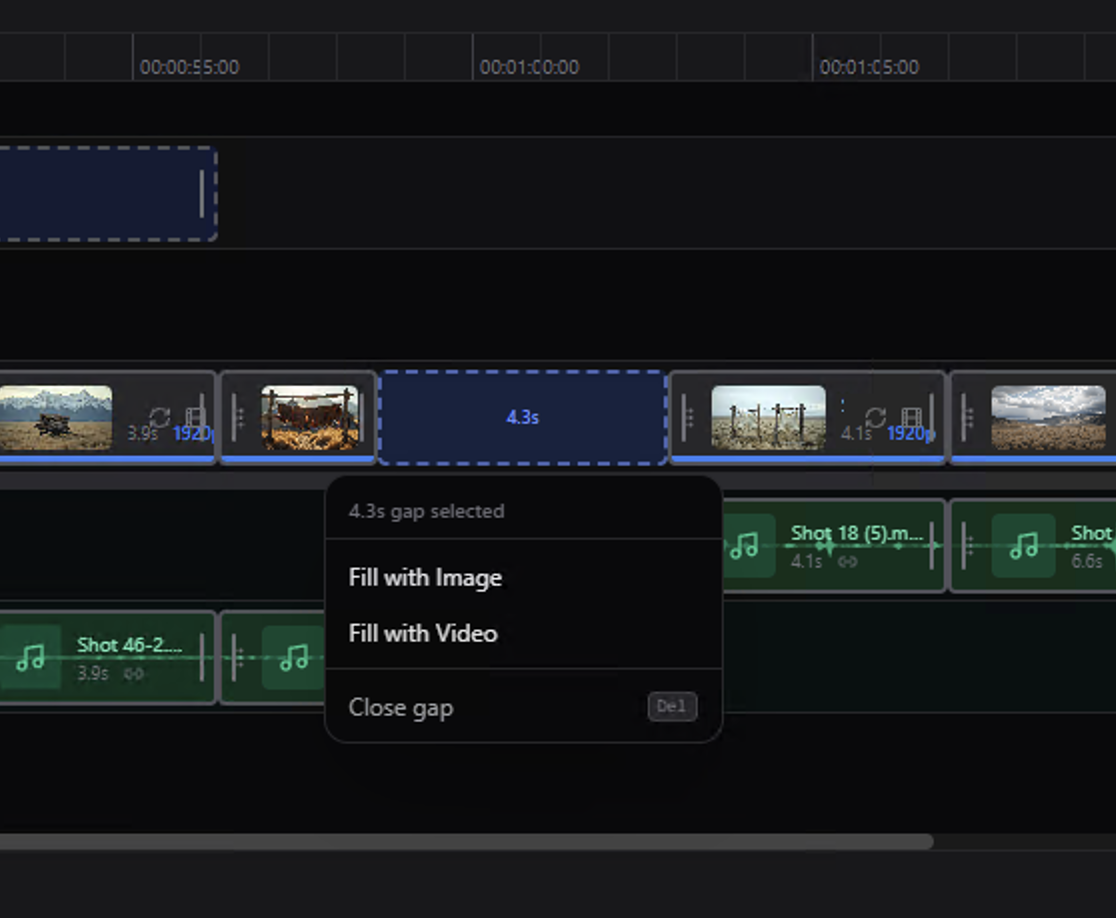
Timeline Gap Fill

Timeline Gap Fill

Intelligent gap detection and AI-powered filling to seamlessly complete video sequences and transitions.

Modern Architecture

Built with a clean three-layer architecture for performance and maintainability

โš›๏ธ

Frontend

React 18 + TypeScript + Tailwind CSS renderer with modern UI components and responsive design.

โšก

Electron

Main process managing app lifecycle, IPC, Python backend process, and native ffmpeg export.

๐Ÿ

Backend

Python FastAPI server (port 8000) handling ML model orchestration, generation, and GPU execution.

Flexible Generation Modes

Choose the mode that fits your hardware and workflow requirements

Platform / Hardware Generation Mode Requirements Notes
Windows + CUDA GPU with โ‰ฅ32GB VRAM Local Generation NVIDIA GPU, 160GB+ disk space Downloads model weights locally for fully offline operation
Windows (no CUDA, <32GB VRAM, or unknown VRAM) API-only Mode LTX API key, internet connection Cloud-based generation with API key required
macOS (Apple Silicon builds) API-only Mode LTX API key, internet connection Official support for Apple Silicon via cloud API
Linux Not Officially Supported - No official builds, but codebase may work with modifications

API Key Information

The LTX API is used for:

  • Cloud text encoding and prompt enhancement โ€” FREE; highly recommended to speed up inference and save memory
  • API-based video generations โ€” paid, required on macOS and unsupported Windows hardware
  • Retake functionality โ€” paid

Generate a FREE API key at the LTX Console.

Open Source Development

Built with modern tools and practices for extensibility and community contributions

๐Ÿ”ง

Modern Toolchain

Built with pnpm, uv, TypeScript strict mode, and Pyright for type safety across the entire stack.

๐Ÿงช

Test-Driven Backend

Integration-first testing with no mocks - uses service fakes for GPU/network boundaries with real FastAPI TestClient.

๐Ÿ—๏ธ

Clean Architecture

Separation of concerns with thin routes, focused handlers, service protocols, and centralized state management.

Explore the Code on GitHub